Delta
Classic games in your pocket.
iPhone
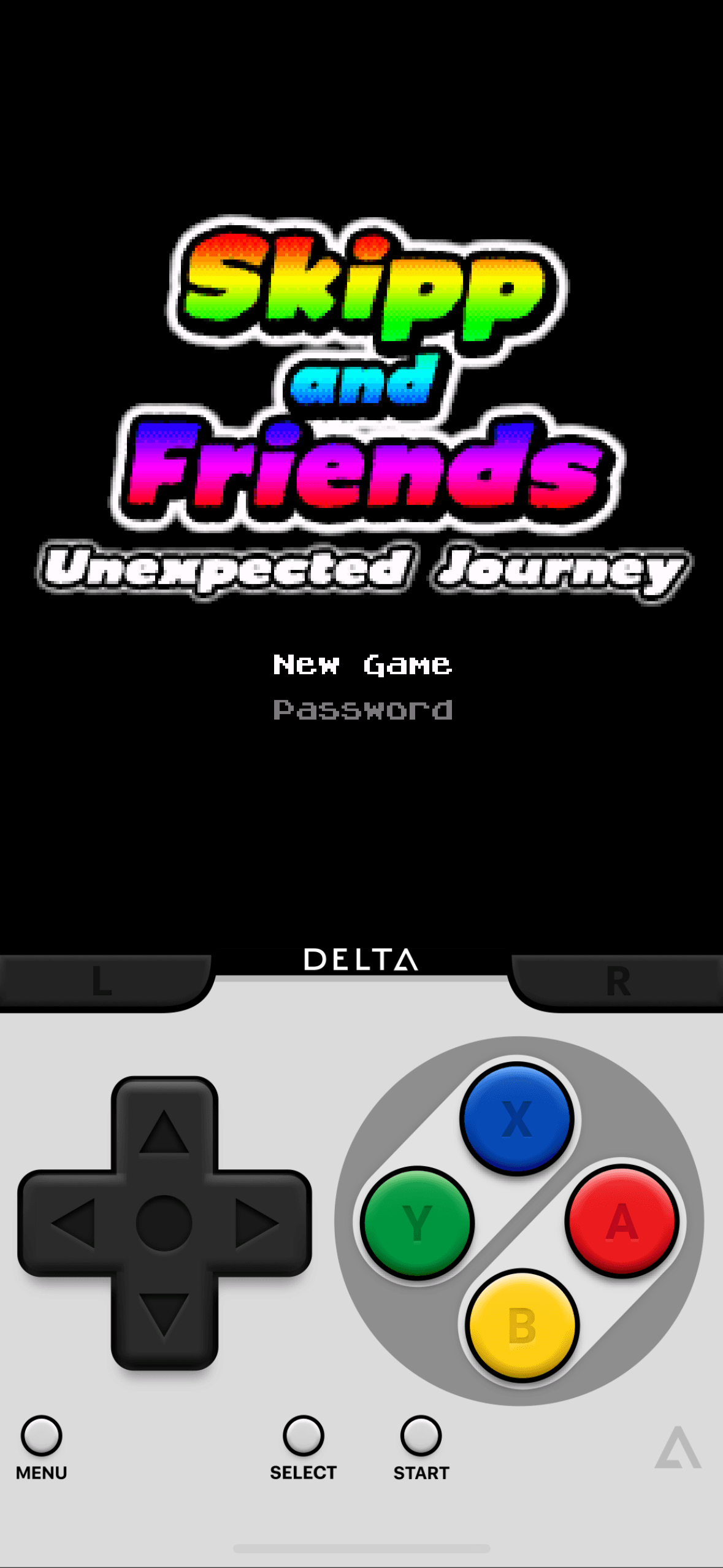
Delta is an all-in-one emulator for iOS. Delta builds upon the strengths of its predecessor, GBA4iOS, while expanding to include support for more game systems such as NES, SNES, and N64. FEATURES Supported Game Systems • Nintendo Entertainment System • Super Nintendo Entertainment System • Nintendo 64 • Game Boy (Color) • Game Boy Advance • Nintendo DS • And plenty more to come! Controller Support • Supports PS4, PS5, Xbox One S, Xbox Series X, and MFi game controllers. • Supports bluetooth (and wired) keyboards, as well as the Apple Smart Keyboard. • Completely customize button mappings on a per-system, per-controller basis. • Map buttons to special “Quick Save”, “Quick Load,” and “Fast Forward” actions. Save States • Save and load save states for any game from the pause menu. • Lock save states to prevent them from being accidentally overwritten. • Automatically makes backup save states to ensure you never lose your progress. • Support for “Quick Saves,” save states that can be quickly saved/loaded with a single button press (requires external controller). Cheats • Supports various types of cheat codes for each supported system: • NES: Game Genie • SNES: Game Genie, Pro Action Replay • N64: GameShark • GBC: Game Genie, GameShark • GBA: Action Replay, Code Breaker, GameShark • DS: Action Replay Delta Sync • Sync your games, game saves, save states, cheats, controller skins, and controller mappings between devices. • View version histories of everything you sync and optionally restore them to earlier versions. • Supports both Google Drive and Dropbox. Custom Controller Skins • Beautiful built-in controller skins for all systems. • Import controller skins made by others, or even make your own to share with the world! Hold Button • Choose buttons for Delta to hold down on your behalf, freeing up your thumbs to press other buttons instead. • Perfect for games that typically require one button be held down constantly (ex: run button in Mario games, or the A button in Mario Kart). Fast Forward • Speed through slower parts of games by running the game much faster than normal. • Easily enable or disable from the pause menu, or optionally with a mapped button on an external controller. 3D/Haptic Touch • Use 3D or Haptic Touch to “peek” at games, save states, and cheat codes. • App icon shortcuts allow quick access to your most recently played games, or optionally customize the shortcuts to always include certain games. Game Artwork • Automatically displays appropriate box art for imported games. • Change a game’s artwork to anything you want, or select from the built-in game artwork database. Misc. • Gyroscope support (WarioWare: Twisted! only) • Microphone support (DS only) • Support for delta:// URL scheme to jump directly into a specific game. **Delta and AltStore LLC are in no way affiliated with Nintendo. The name "Nintendo" and all associated game console names are registered trademarks of Nintendo Co., Ltd.**
This update fixes compatibility with certain N64 games. PREVIOUS UPDATE NEW Online Multiplayer • Play online-compatible Nintendo DS games with friends around the world! • Connect via community Nintendo WFC servers • Choose one of the default servers (Wiimmfi, WiiLink WFC, or AltWFC), or provide a custom DNS Updated N64 Core • Uses OpenGL ES 3.0 to render games • Fixes many graphical issues (e.g. black textures) • Optionally switch back to OpenGL ES 2.0 on per-game basis • Custom resolutions by editing `mupen64plus.cfg` file • Custom texture packs via Mupen64Plus `hires_texture` directory Game Screenshots (thanks Chris Rittenhouse!) • New pause menu option to take game screenshots • Map game controller buttons to take screenshots • New `screenshot` input for controller skins Game Controller Skins • Choose a skin to use when a game controller is connected • Choose system-wide or per-game Controller Case Support • Controller skins can adjust position of pause menu via new `menuInsets` property • Allows using pause menu with cases such as GAMEBABY and PlayCase Game Settings • New context-menu option for per-game settings • Includes “Preferred Game Skin”, “OpenGL ES 3.0” (N64) and “Inserted GBA Game” (DS) Misc. • “Resume” button to easily resume games • Additional “Button Pack” icons designed by Louie Mantia • Adds dark + tinted variants of primary app icon FIXED • Fixed using analog sticks as discrete inputs for controllers with poor calibration (thanks Ian Clawson!) • Fixed black/missing/incorrect textures in various N64 games • Fixed white screen after (un-)locking device while AirPlaying DS games • Fixed no audio for game previews in silent mode when Respect Silent Mode is OFF • Fixed showing all save states as incompatible for non-DS systems • Fixed crash when viewing save states for unsupported system • Fixed missing accessibility label for Settings button • Fixed not showing “Reset” button when choosing landscape skin • Fixed not showing “Reset” button when choosing per-game Game Controller or AirPlay skins • Fixed “Hold Button” description layout after orientation change • [Delta Sync] Fixed misleading “file does not exist” errors when previous version is missing • [iPad] Fixed quitting all games when using multiple scenes